
Navigate the All Active Projects - Timeline view
All Active Projects - Timeline view is an improved way to visualise all the projects you have access to. Instead of just a flat list, you’ll be able to see projects in a hierarchical structure (Portfolio → Programs → Projects) alongside a Gantt chart and to track progress visually. This will make it easier to navigate, filter, and understand project timelines at a glance.
Access the All Active Projects - Timeline View from the Projects area
In the Projects area, ensure that the All Active Projects - Timeline view view is applied. Use Expand All and Collapse All to streamline your view.
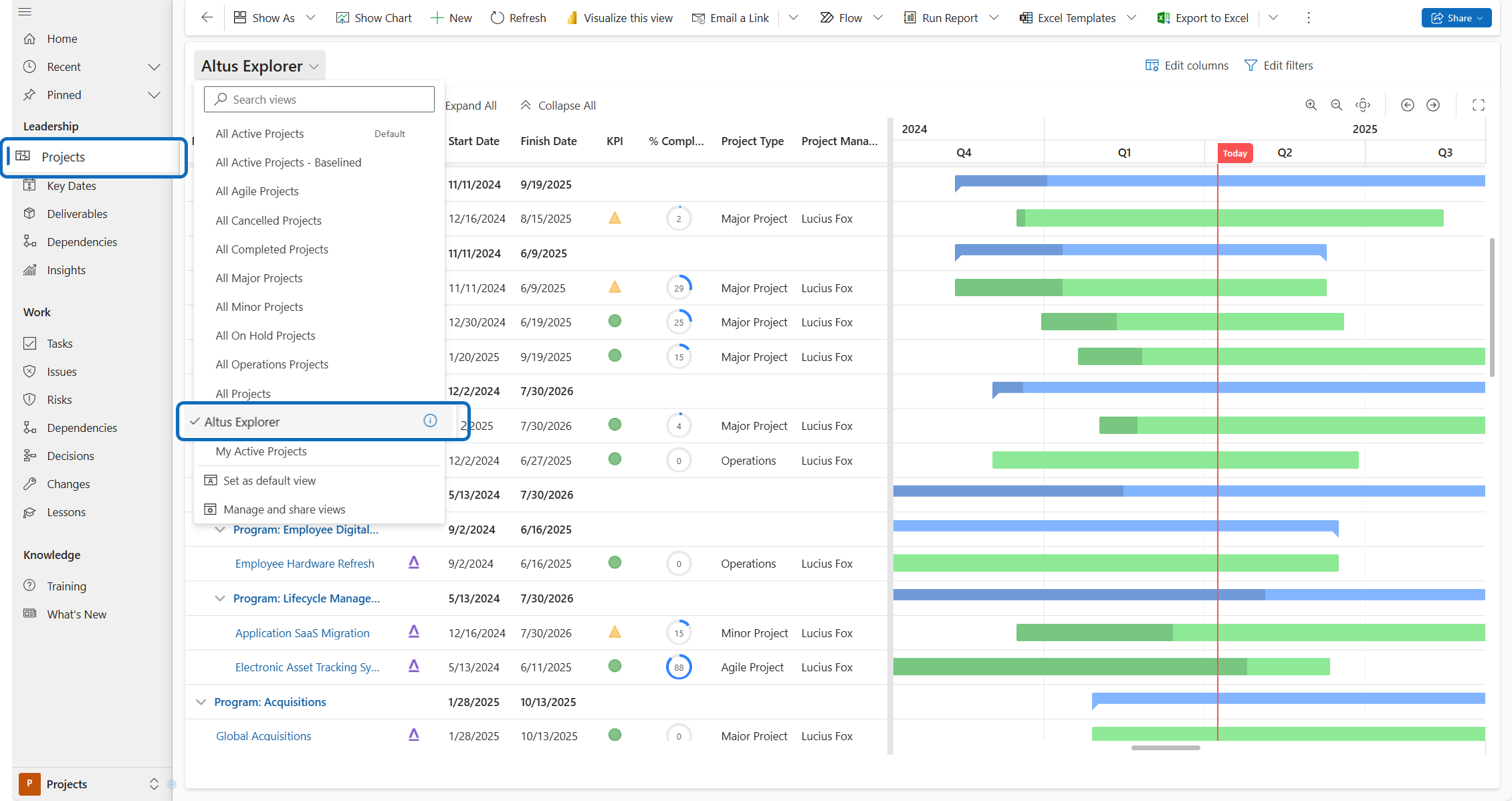
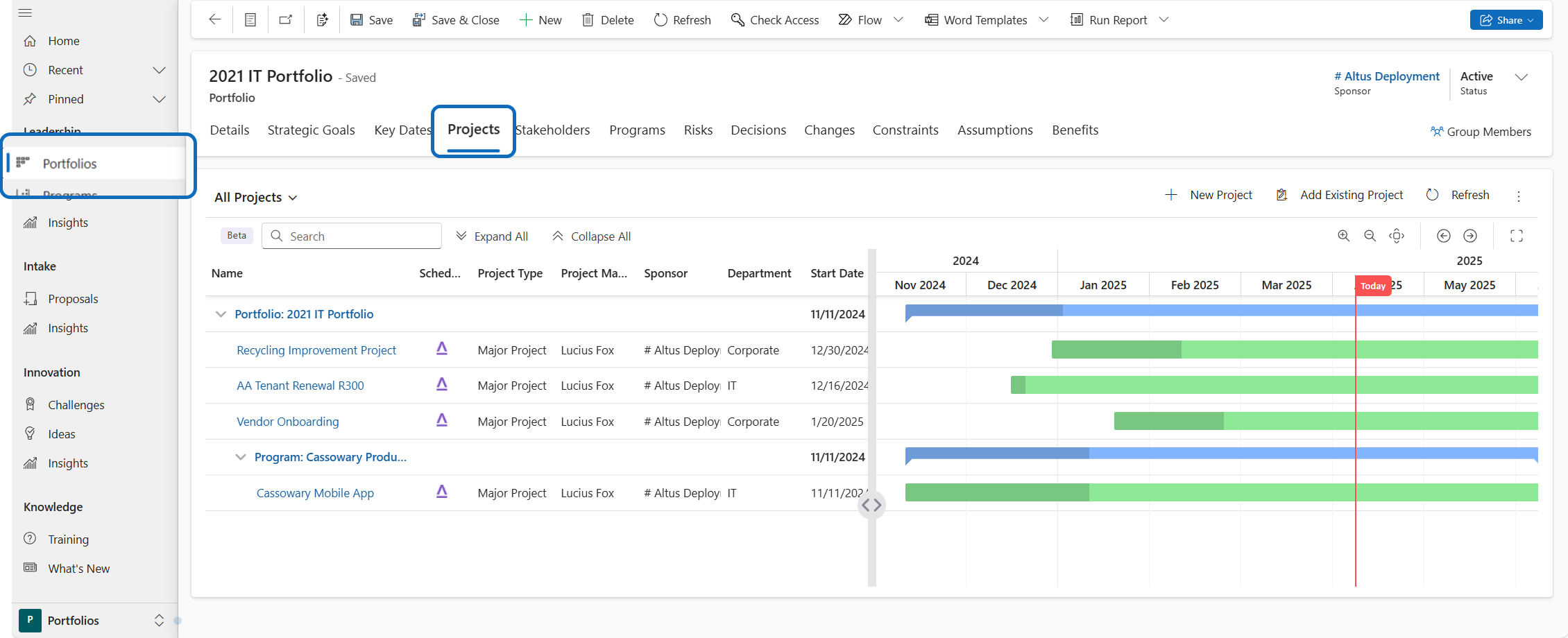
Access the Timeline Experience from the Portfolios area
In the Portfolios area, navigate to the Projects tab of a portfolio record to display the projects grouped by program within that portfolio.
Last updated: 12/17/25, 3:56 AM