
Track timesheet compliance and work variance
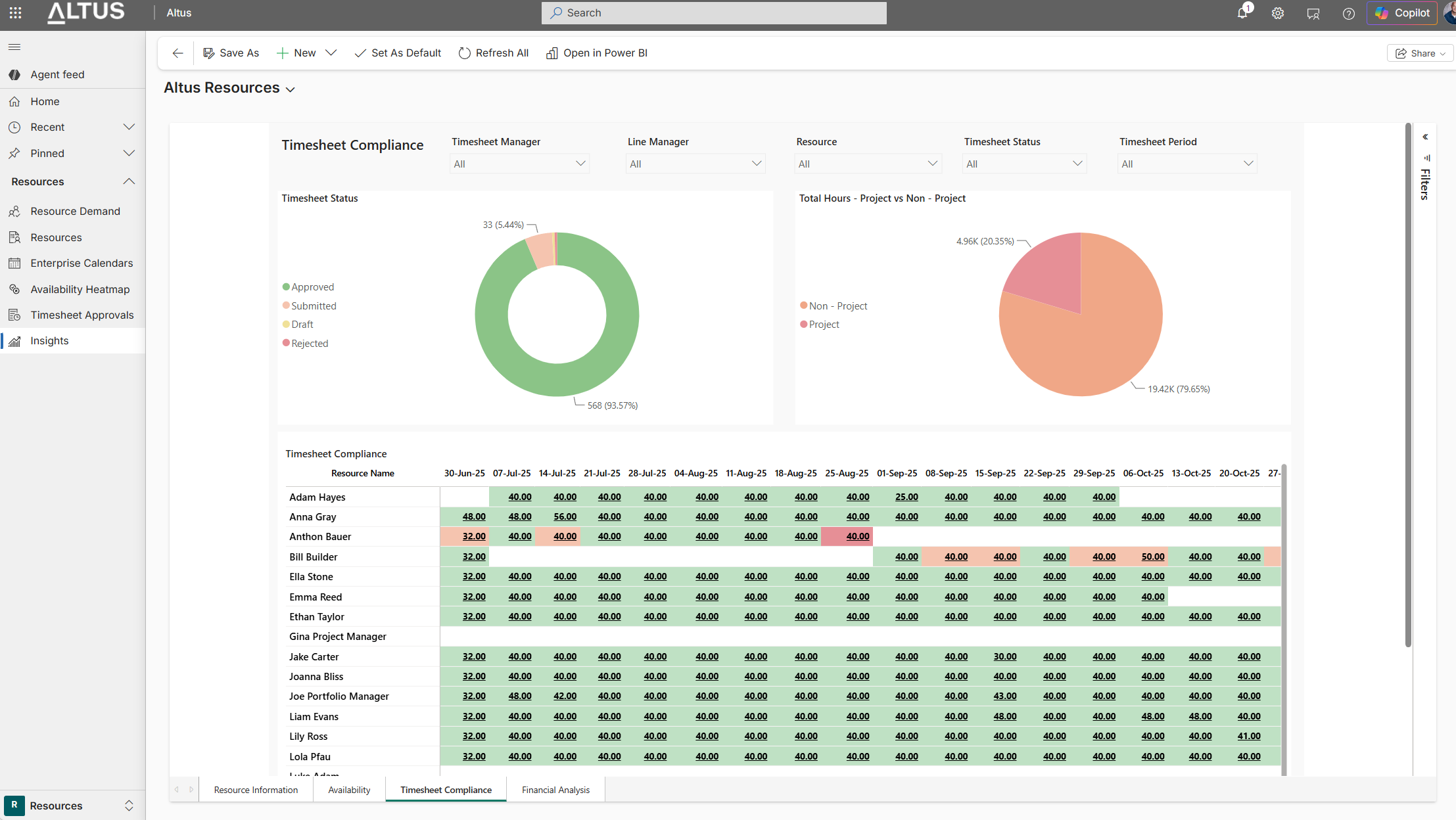
The Timesheet Compliance insight provides visibility into how consistently resources are completing and submitting timesheets, along with how recorded hours are distributed between project and non-project work.
This view helps managers monitor compliance trends, identify gaps early, and understand how time is being allocated across the organisation.
Accessing the Insight
- Navigate to Resources
- Select Insights
- Open the Timesheet Compliance tab
Key Components
1. Timesheet Status Overview
A visual summary showing the status of timesheets across resources:
- Approved – Timesheets that have been reviewed and approved
- Submitted – Timesheets awaiting approval
- Draft – Timesheets started but not submitted
- Rejected – Timesheets returned for update
This helps quickly assess overall compliance levels and identify where follow-up may be needed.
2. Project vs Non-Project Hours
A breakdown of total recorded hours:
- Project – Time logged against project-related work
- Non-Project – Time recorded against operational or administrative activities
This provides insight into how effort is being distributed across project delivery and other activities.
3. Timesheet Compliance Table
A detailed view showing hours entered by each resource across timesheet periods.
- Each row represents a resource
- Each column represents a timesheet period (week)
- Values represent total hours submitted
Colour indicators provide a quick visual cue:
- Green – Expected or compliant hours completed
- Amber/Red – Variations from expected hours (e.g. under or over allocation)
Using Filters
You can refine the view using the filters at the top of the page:
- Timesheet Manager
- Line Manager
- Resource
- Timesheet Status
- Timesheet Period
Filters help focus on specific teams, individuals, or timeframes.
How to Use This Insight
Use this view to:
- Monitor overall timesheet completion rates
- Identify missing or incomplete submissions
- Spot under- or over-reported hours
- Understand work allocation trends (project vs non-project)
- Support follow-ups with resources or managers
Tips
- Regularly review this insight to maintain consistent timesheet practices
- Use filters to focus on specific teams or reporting lines
- Investigate recurring variances to improve planning accuracy